Electronicsny
Mini Body Camera Video Recorder Record HD 1080P, Portable Life Wearable Cam for Home, Outdoor, Law Enforcement, Security Guard
Mini Body Camera Video Recorder Record HD 1080P, Portable Life Wearable Cam for Home, Outdoor, Law Enforcement, Security Guard
Couldn't load pickup availability
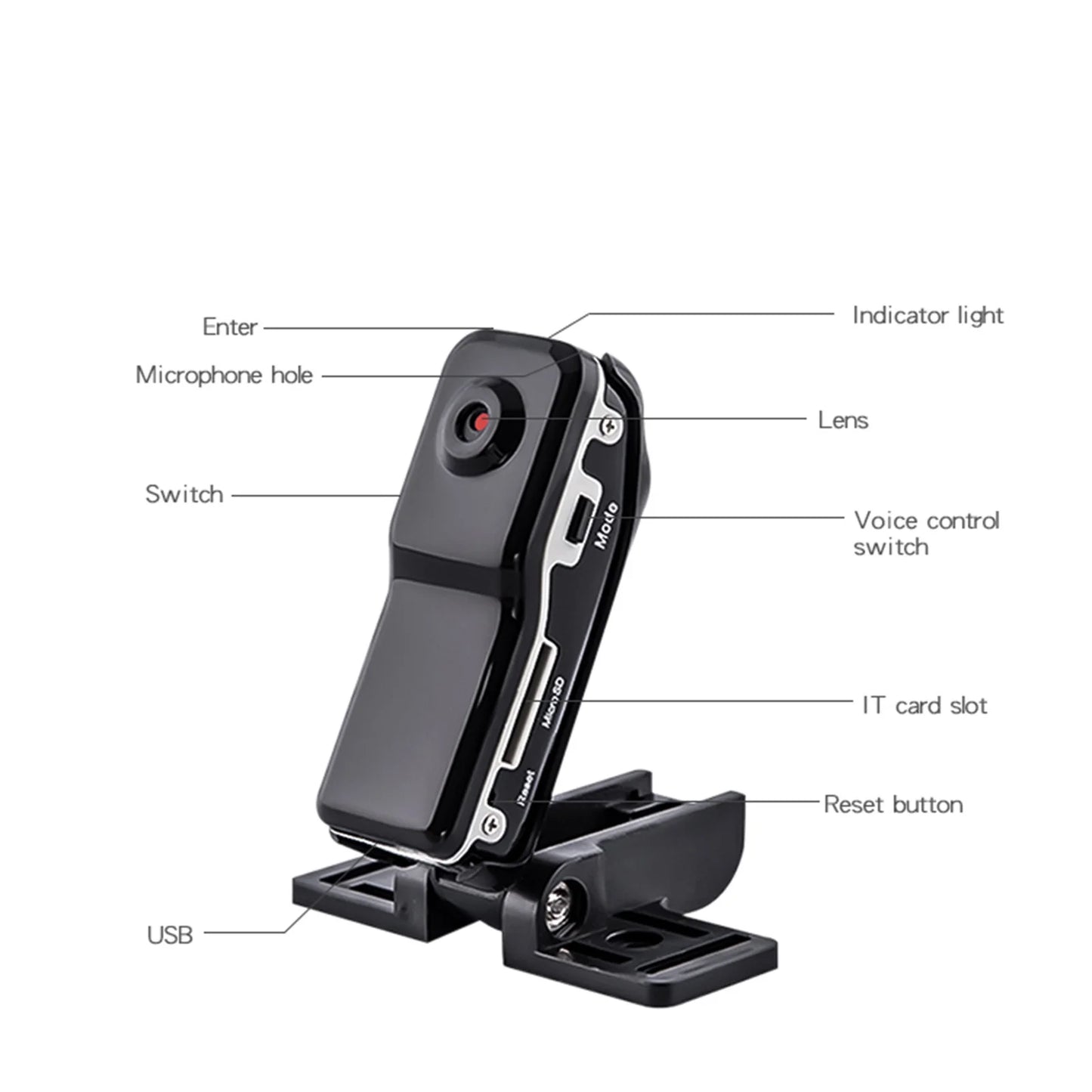
Mini Sport Camera HD Body Camera Video Recorder Portable Pocket DV Cam
Feature:
High Resolution: 640 x 480 -.Supports AVI, JPEG format
Low illumination, high resolution image with 2.0M pixels High speed recording
The Digital Camera can be used as PC camera, picture recorder, music player and video camcorder
Small & Portable, easy recording / monitoring.
Operation System: Windows 98SE/2000/Me/XP/Vista/ Windows 7, Mac OS10.4
This Mini DV Camcorder captures video clips in Motion at 640x480 resolution
Specifications:
Primary Function: World's Smallest High-Resolution Mini DV Camera
Product size:2.16x0.86x0.78 inch
Package size:11.5x10x5cm/4.52x3.93x1.96 inch
Net weight: 63 g/0.13 lbs
Image Sensor: 2MP Color CMOS
View Angle: 62 degrees
Maximum Possible Support Memory: 32GB(Not Included)
Video File Size: 2 GB per 40 minutes
USB Support: 1.1 and 2.0
Operating System: Windows 2000 / XP / Vista
The Package Include:
1 x Mini dv camera
1 x USB cable( Memory card is not included )
1 x Belt
1 x User manual
- How to turn it on? A: Insert the micro SD card before turn on. Press the power button one time, the blue light keeps on, the device will go into Standby mode. If there are no operations, the device will turn off in 2 mins.
- How to charge? Charge it for at least 2 hours before the first use. Keep charging it when it is continuously working. To charge, plug the included USB cord into the device and then into a power adapter (DC 5V) or a PC. Full charge takes about 2 hours and can support 30mins of continuous working. When charged by an adapter, both red and blue lights keep on. After fully charged, the red light will turn off.
- How to view the video recorded in the micro SD card? Turn off and connect the device to your PC via the included USB cord. You can also use a card reader.
- How to sync time? Please sync time before recording.1) Connect the device to your PC via the included USB cord, it will go into U-disc mode. 2) Open the TXT file in the micro SD card and type in current time as following format and then save as TXT file
Share